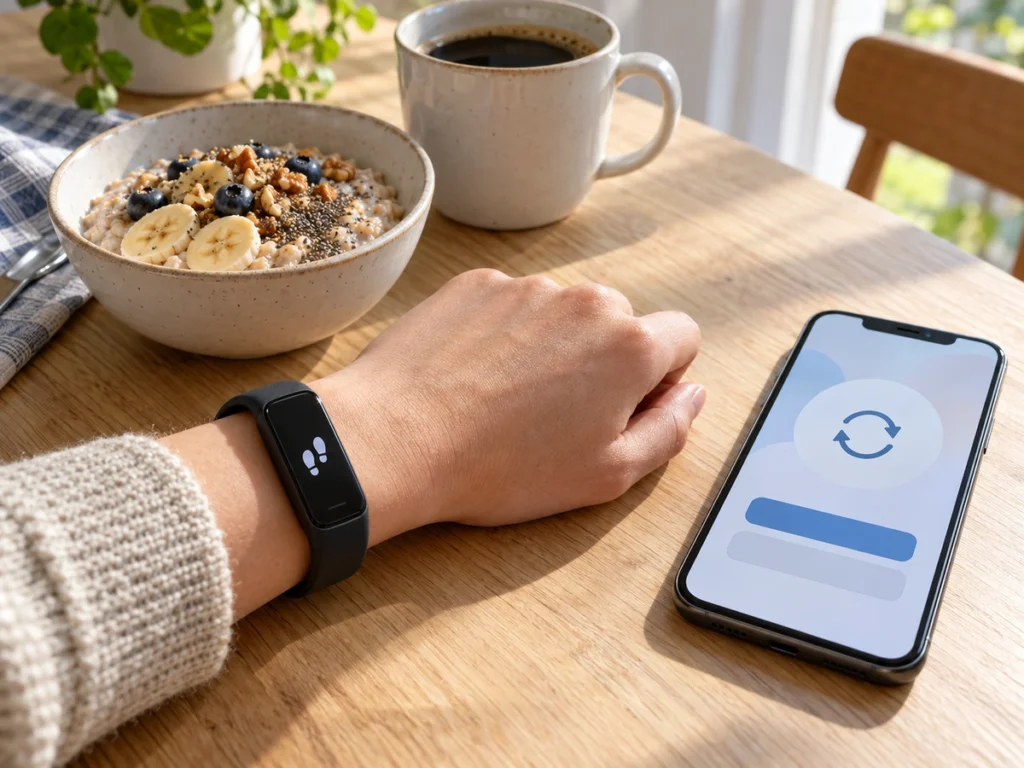
Google stopped supporting the old Fitbit Web API today, 30 September, and switches it off on 30 October. For years that API has let apps such as MyFitnessPal read steps, sleep, heart rate and food logs from a Fitbit or Pixel Watch account. An app still using it after the switch-off gets no new data from you until you reconnect it through Google’s new system. Google started emailing owners about the change this week, but MyFitnessPal is asking its members to wait for its own prompt first.
The two dates in Google’s notice
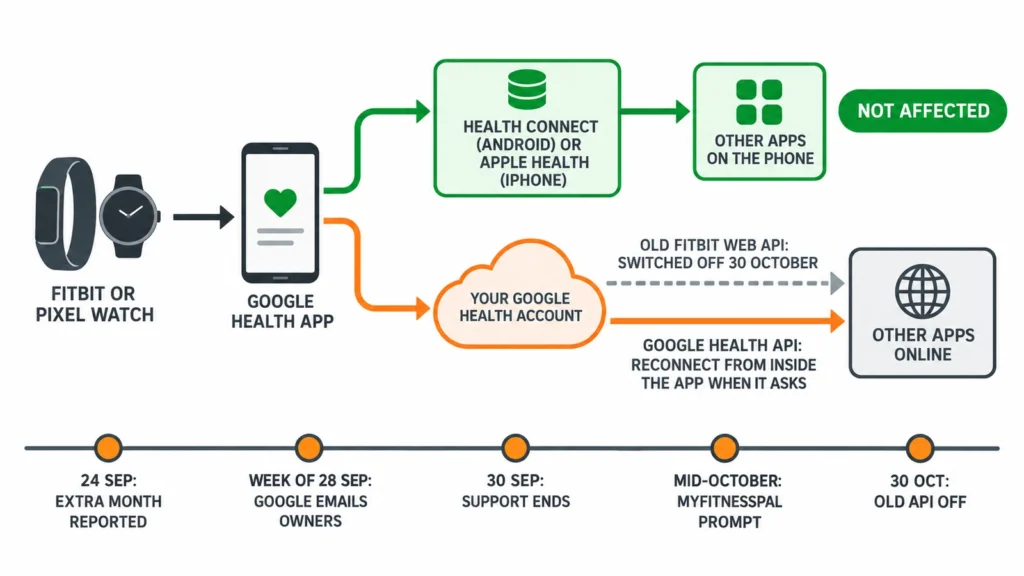
Google’s developer page, last updated on 29 September, gives two dates. Support for the legacy Fitbit Web API ends on 30 September, which means the API keeps running but Google no longer fixes bugs in it. On 30 October it will be “turned off and will no longer function or sync data.”
Fitbit’s own developer site still says only that the API is being deprecated “in September 2026”, which is why most reports gave today as the cut-off until last week. The extra month first surfaced on 24 September, when a developer quoted an email from Google on its support forum.
The replacement is the Google Health API. It signs you in with a Google account in place of the old Fitbit login, and the permission you once gave an app cannot be carried across. Google’s migration guide says the old sign-in tokens “cannot be transferred”, so everyone has to give consent again. Every app that reads your Fitbit data from Google’s servers needs you to approve it once more on a new Google screen.
Links made on your phone are not part of it
The Fitbit API shutdown concerns apps that fetch your data from Google’s servers. Plenty of connections never worked that way. On Android, apps exchange data with the Google Health app through Health Connect, a store that sits on the phone itself. On an iPhone, Apple Health does the same job. Google’s help page lists Garmin, Oura, Samsung and Xiaomi devices on those routes.
A link set up in Health Connect or Apple Health does not use the Fitbit Web API, so 30 October leaves it alone. The links at risk are the ones you approved on a Fitbit or Google web page, usually after tapping a connect button inside the other app. MyFitnessPal is one. MyDataHelps, an app that research studies use to collect wearable data, is another that developers have named.
Google’s email and your app’s prompt
Owners can waste an evening here. Google told partner apps that from the week of 28 September it would email Google Health members about re-authorising the apps linked to their accounts. MyFitnessPal’s help centre, updated four days ago, tells its members the opposite for now: “No action is needed from you yet. Please wait for a prompt from MyFitnessPal (push notification and/or email) in mid-October before reconnecting.”
The same article warns that anyone who disconnects and reconnects after Google’s email will have to do it again when MyFitnessPal’s prompt arrives, because only that second reconnection keeps data flowing after the switch-off. Google’s guide shows why the order runs that way. Each app has to build the new Google consent flow into its own code, and until it ships that update, its connect button can only lead back to the old system.
So reconnect from inside each app, after that app asks you to. Google’s email tells you the change is coming. It cannot tell you whether a particular app is ready for it.
Apps that may have nowhere to go
Google’s developer page carries one more line: “While we are not onboarding new projects at this time, we are actively working to open access to more developers.” An app that did not already have access to the Google Health API cannot move to it, however willing its developer is. For a small app or a single research study, 30 October could be the last day your data arrives.
Google has not published a list of approved partners, so you cannot tell from outside. Silence is the practical test. If an app has neither asked you to reconnect nor posted a help article about the change by the second half of October, write to its support team and ask whether it will still receive your data in November.
Before 30 October
Your history is safe either way. Google’s guide says your data stays in your account as long as the watch or tracker keeps syncing to the Google Health app, and an app you reconnect later can fetch the days it missed. The risk is a gap in the other app, not a loss in Google’s.
- Open the Google Health app, tap Connections at the top left, then Partner apps or Apps and services. The Connected list shows every service that reads your account.
- Finish setting up your Google Health profile if you have not yet. Google’s guide tells developers that linking fails for anyone whose profile is incomplete, and asks them to send those people back to the app. If you set up blood pressure trends on a Pixel Watch last week, you already did this.
- When an app sends its own prompt, reconnect from inside that app. The Google consent screen lets you approve data types one at a time, and an app receives nothing you leave unticked, so allow whatever it needs to work.
- In the first days of November, open each linked app and check that new days are arriving.
What Google has not said
Google has not said whether 30 October could move again, and its Fitbit developer site still carries the older wording. It has not named the partners that have access to the new API, and it has not said what the emails to owners will ask them to do. If an app you rely on says it cannot migrate, export anything you keep only in that app before the end of October, since your Fitbit history stays in Google Health regardless.