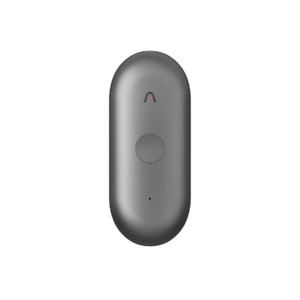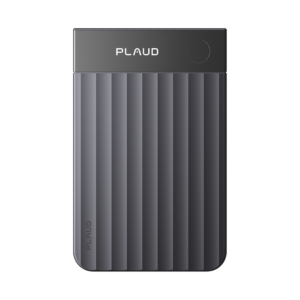
Some time this month the Plaud app on your phone will offer to update. Once you accept, your account moves to the new Plaud Intelligence and there is no way back. The update brings a second balance called Plaud Credits, which pays for anything the new Plaud Agent produces for you. Transcription keeps using your monthly minutes as before. AutoFlow, the setting that transcribes, summarises and emails a recording on its own, is replaced by Routines, and your existing AutoFlow rules do not carry over.
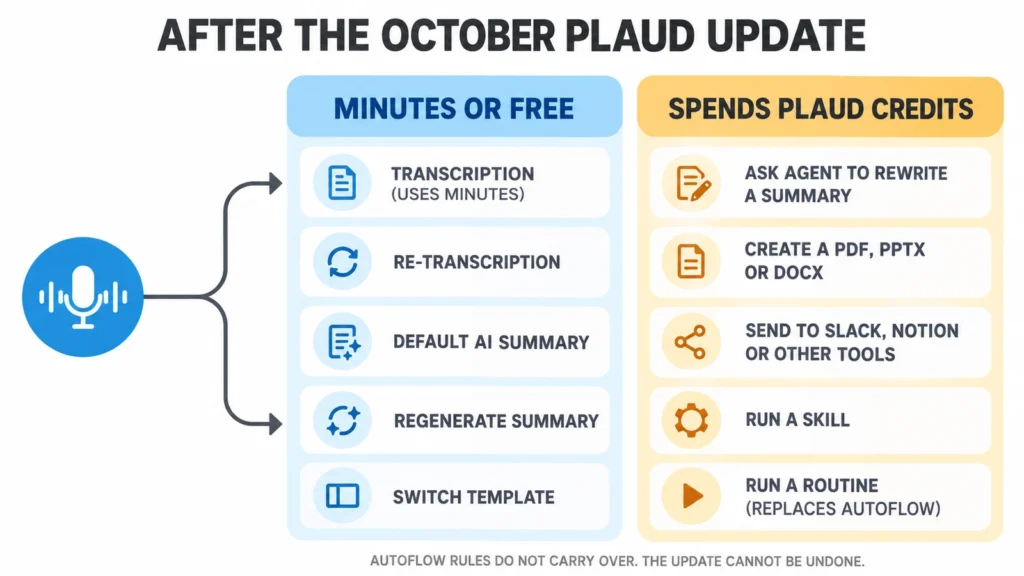
What spends Credits and what does not
Plaud set out the split in a run of posts at the end of September. Your recordings, transcripts and summaries all carry over.
| Action after the update | What it uses |
|---|---|
| Transcription and re-transcription | Transcription minutes |
| The default AI summary of each recording | Nothing extra |
| Regenerating a summary or switching template | No Credits |
| Asking the Agent to rewrite a summary | Credits |
| Creating a PDF, PPTX or DOCX document | Credits |
| Sending work to Slack, Notion, Linear or Zapier | Credits |
| Running a Skill or a Routine | Credits |
Plaud’s guide for Team accounts adds one more line. The Agent spends Credits when it answers questions about your meeting context. Today’s plan page lists a feature called Ask Plaud, in beta, on every plan. Plaud has not said whether Ask Plaud becomes part of the Agent or keeps working as it does now.
AutoFlow becomes a metered Routine
AutoFlow is listed on Plaud’s plan page as part of the membership: it transcribes a recording, summarises it and sends the result by email. Plaud’s 30 September post says AutoFlow “has evolved into Routines”, that old automations “do not carry over automatically”, and that running a Skill or a Routine “will consume Plaud Credits”.
So an automation that costs nothing extra today will draw on a balance once you rebuild it. A Routine set to file notes after every recording runs as often as you record. On a recorder used for five meetings a day, that is five runs a day, and Plaud has not published what a run costs.
Routines can do more than AutoFlow. They trigger on conditions you describe in plain language, such as a recording finishing or a time of day, and they can push results into connected tools instead of only email. Whether that is worth paying for depends on a price Plaud has not yet shown. Summary Templates are untouched, so a template you built for client calls keeps working, and only the automation wrapped around it has to be rebuilt.
What the Credits pay for
The paid part is the Agent’s output. It can turn a recording into a finished document in PDF, PPTX, DOCX, HTML or Markdown, and Plaud says every point in such a document links back to the timestamp in the recording it came from, so you can check a quote before a client sees it. Documents can also be edited inside the app.
Connectors carry that work elsewhere. At launch Plaud lists Slack, Notion, Google Calendar, Linear and Zapier, and its Team guide adds Gmail, Google Docs and Outlook, with more Microsoft 365 tools promised. Plaud says the Agent asks you to confirm before it posts or sends anything, and has not said how that works for a Routine running on its own at 8:30 in the morning.
The numbers Plaud has not published
For Team workspaces, Plaud has given the outline. Every occupied seat gets a one-time gift of Credits when the update arrives, and it does not renew monthly. A member who runs out is not charged automatically, and top-up packs stay valid for a year. Team plan prices do not change.
Individual accounts have no such outline yet. Plaud has not said whether those plans get any Credits each month, how many a typical document or Routine run uses, or what a top-up costs. Its posts point to a Plaud Credits page that was not public on 1 October.
Your minutes are untouched. A Pro plan still includes 1,200 a month, and the Plaud Note Pro and NotePin S record and transcribe exactly as before. What changes is the work after the transcript.
Why the timing of your update counts
Plaud’s Team guide is blunt about it. “The update is one-way”, it happens at the account level, and it starts from the mobile app, after which Plaud Web follows on its own and Plaud Desktop asks to update. If you belong to several Team workspaces, they all move together. Members who update while colleagues have not may find shared Team files and links misbehaving until everyone has moved.
Nothing in the posts for individual accounts offers a route back either. Its 22 September FAQ adds one practical warning: let any recording or file transfer finish before you update, because updating mid-transfer can interrupt it.
Before you tap the update, open AutoFlow and write down every rule: what triggers it, which template it uses and where it sends the email.