You install a watch update, and the next morning there is no sleep score and the green lights on the back of the watch stay dark. Since Garmin started rolling out software 23.39 for the Fenix 8 in late September, owners on Garmin’s own forum have described that fault, which first appeared for some of them on the earlier 23.31. The step they report most often is a forced shutdown with the watch left off for more than 90 seconds, which brought the Fenix 8 heart rate sensor back for several of them. Nothing in the 23.39 change log mentions the sensor.
What goes missing
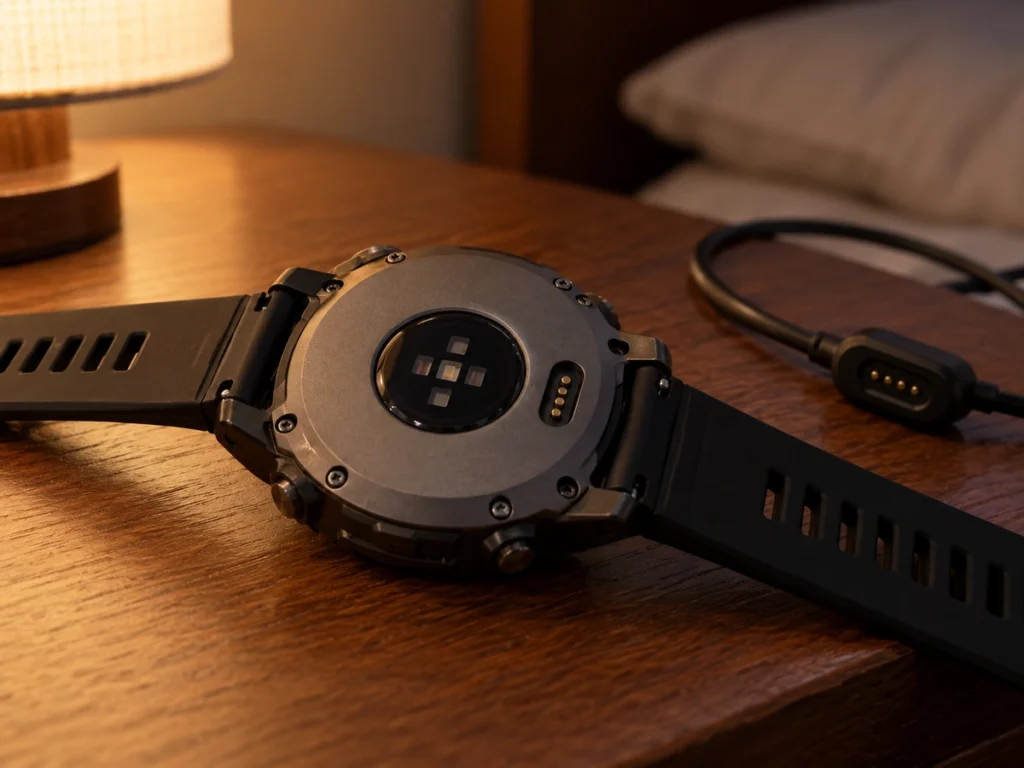
The optical sensor on the back of the watch uses green lights for heart rate and red ones for Pulse Ox. In the two forum threads about the fault, owners say both sets stay dark after the update. One owner of a 51 mm AMOLED Fenix 8 writes that stress and other health data disappeared with them, another that heart rate no longer shows during activities, and a third lost sleep tracking.
Gadgets & Wearables, which reported the threads on October 3, adds that some owners lost overnight HRV and Body Battery, and that Tactix 8 owners describe the same fault. Garmin’s 23.39 post covers the Fenix 8 Pro, the MicroLED and the standard Fenix 8, and the Tactix 8 got the same version in a post of its own.
The 23.39 change log, read for a fix
Garmin’s release post lists more than 20 changes. It adds the “OK Garmin” wake word, an XC Ski Indoor activity and a suggested quick workout for running, and fixes pace dropouts in interval training, Spotify shutdowns and resets during strength workouts. None of the lines covers wrist heart rate or the optical sensor.
So 23.39 was never documented as the cure for a sensor that died on 23.31. One owner whose sensor came back on 23.31 after a long shutdown wrote, on the day 23.39 installed, that it had gone dark again. Reinstalling the software, one of the steps below, puts the same version back on the watch.
Getting the sensor back, in order
Garmin’s support staff answered the first thread around October 1 with general steps, and owners added the ones that worked for them. Try them in this order, from the quickest:
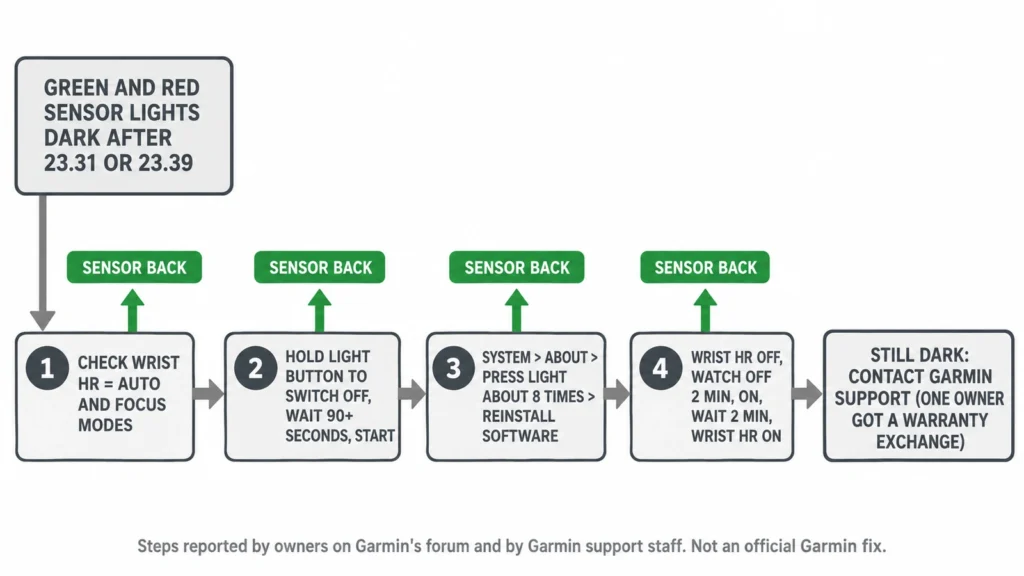
- Hold the menu button, go to Watch Settings, then Health and Wellness, then Wrist HR, and check that it is set to Auto. Garmin also asks whether a Focus mode has heart rate turned off.
- Hold the light button until the watch switches off, leave it off for more than 90 seconds, then start it again. Two owners in the first thread got the sensor back this way after ordinary restarts had failed.
- Reinstall the software: hold the menu button, go to Watch Settings, System, About, press the light button about eight times, and choose Reinstall software. One owner says this alone fixed it, while another needed the long shutdown as well.
- Turn Wrist HR off, switch the watch off for two minutes, switch it on, wait two more minutes, and turn Wrist HR back on. The owner who posted this sequence says the sensor had worked for the following 24 hours.
One owner reports that none of the steps worked, and another says Garmin support started a warranty exchange. That owner was told other customers had the same problem and that they could wait for a fix instead.
What a few dark nights do to your scores
The Fenix 8 manual builds Training Readiness from last night’s sleep score, recovery time, HRV status, acute load, sleep history over the last three nights and stress history over the last three days. Most of those draw on the wrist sensor. After the lights come back, the three-night and three-day inputs still include the dark period until it ages out, so a low or missing readiness score for the next few days says more about the gap than about your recovery.
HRV status recovers more slowly. The manual says the watch needs three weeks of consistent sleep data to show it, and the status compares a seven-day average with your baseline. Garmin does not say how nights without data are counted, so give the status a full week of normal nights before reading anything into a change.
Software fault or a failed sensor
The pattern in both threads is a sensor that worked before the update, went dark when it installed and came back after a long power-off. That points to software, which is also why the exchange is the last step. If none of the four steps works, contact Garmin support, describe the dark green and red lights and the software version, and ask whether a software fix is planned, since support told that owner one could come.
Whatever route you take, look at the back of the watch before bed on the night of each update. The lights flicker when the sensor is reading, and a dark sensor found that evening costs one night of data, not a week.