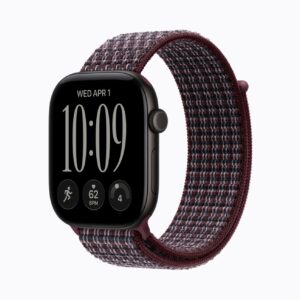
How Far the Apple Watch Ultra 4 Gets on One Charge
The Apple Watch Ultra 4 keeps its predecessor's titanium case and screen, and Apple has taken the Ultra 3 off its own store. The changes are inside: the S11 chip, a single-tap gesture, eight more hours of rated battery and a faster top-up. Every figure here comes from Apple's spec page and test notes, apart from the hypertension study Apple filed with the FDA.
Apple's 50-hour battery test includes two nights of sleep tracking. Charged at 7 a.m. on a Monday, a watch following that script is still running at 9 a.m. on Wednesday.
Affiliate disclosure: the price links on this page may earn us a commission at no extra cost to you. Retailers cannot pay for placement or influence the score. How we stay independent
Quick verdict
RecommendationRecommended for iPhone owners who wear a watch to bed and go two days between chargersEvidence: maker figures only
Apple's battery rating includes two nights of sleep tracking, which makes the Ultra 4 worth considering when daily charging is a problem. Real runtime still depends on workouts, signal and settings.
Strengths
Apple's 50-hour battery script includes two nights of sleep tracking
A quarter-hour charge is rated for half again what the Ultra 3 got
Satellite SOS free for two years
Weaknesses
iPhone only
Live Rewind and Siri Recap need an iPhone 16 or later, and the 16e is left out
5G RedCap and LTE, Wi-Fi 4, Bluetooth 5.3, satellite SOS, Find My and Messages
Phone
iPhone 11 or later, or iPhone SE (2nd generation or later), with iOS 27
In the box
Watch, band, Apple Watch Magnetic Fast Charger to USB-C Cable (1 m)
How we reviewed it
Basis
Research-based: assessed from the manufacturer’s published specifications, documentation and the independent sources listed at the end. We have not tested this unit ourselves; any measurement quoted belongs to the cited source.
Method
The battery section follows the test scripts printed in the footnotes of Apple's Ultra 4 spec page. For the Ultra 3 comparison we read Apple's watch comparison page the same morning. Hypertension figures come from the 510(k) summary for K250507 on the FDA's site, which reports how Apple tested the feature. Phone, Siri AI and satellite terms are in the spec page's footnotes.
Evidence
Apple supplied every rating in this review, and the hypertension figures come from its clinical study as the FDA summary reports it.
Limitations
Independent battery, charging and sensor measurements of the Ultra 4 are not part of this review. Apple tested preproduction watches with prerelease software in July and August 2026. Future satellite pricing and expanded Siri AI fees are not specified on the inspected page.
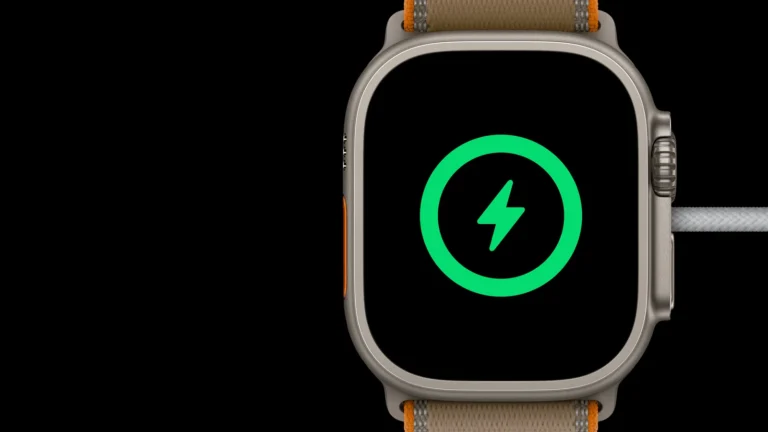
The Ultra 4 on the magnetic fast charger that comes in the box, in Apple's render. Product image: Apple (cropped render)
Apple prints the script behind its 50-hour rating. It has two hour-long workouts with music played from the watch, half an hour of app use and 12 hours of sleep tracking. The watch spends 10 of those hours on its own cellular connection and the rest linked to a nearby iPhone. Apple also counts 630 glances at the time and 190 notifications.
That's a light workload for an Ultra, and the headline rating rests on it. A long run or hike uses the workout ratings instead. Apple rates 18 hours of tracked workout with the full set of metrics. Extended Workout reaches 25 hours and Max Extended Workout 45, because both switch on Low Power Mode and the second also turns off alerts and splits.
Low Power Mode on an ordinary day stretches the rating to 84 hours, and that script fits in three nights of sleep tracking.
Apple rates a 15-minute charge on its included fast-charge cable with a 20 W adapter for up to 18 hours of normal use. The Ultra 3's equivalent claim is 12 hours. Five minutes is rated for up to ten hours of sleep tracking, and about 45 minutes for 80 percent charge. Adapter, temperature, starting charge and use can change the result.
A faster top-up is useful when you have only a short break near a charger. The longer main battery rating helps on trips, but neither rating predicts every workout or cellular connection.
What changed from the Ultra 3
Not rated · Evidence: maker figures only
The Ultra 4's right side, with the side button and the Digital Crown, in Apple's render. Product image: Apple (cropped render)
On Apple's comparison page the two Ultras share the case size, the 422 by 514 screen and its peak brightness. The new watch weighs 63.0 g in natural titanium, 1.4 g more than its predecessor. Its back pairs ceramic with zirconia, where the Ultra 3 used sapphire crystal.
The S11 chip replaces the S10. With it come the single-tap gesture, Recovery HRV and more frequent background heart-rate readings. Apple also keeps Audio Intelligence (Live Rewind, Siri Recap and Sound Recognition) to the two S11 watches, the Series 12 and this one.
None of that is a reason for an Ultra 3 owner to buy again. The gain is eight hours of rated battery and a quicker top-up, and the new audio features also depend on the iPhone. If you can still find a new Ultra 3 for clearly less, it gives up the charging speed and the S11 software and little else.
Hypertension alerts and the silence between them
Not rated · Evidence: maker figures only
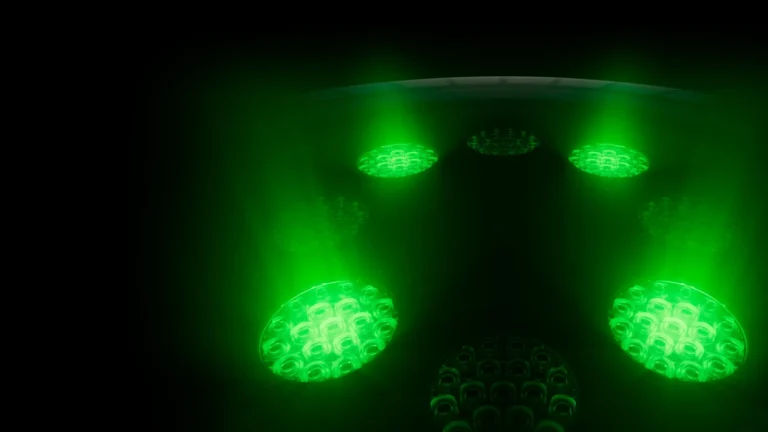
The optical sensors on the watch's back with the green LEDs lit, in Apple's render. Product image: Apple (cropped render)
Hypertension notifications aren't new to the Ultra line, and the Series 12 has them too. The FDA cleared the feature in September 2025. The summary Apple filed shows how it was tested: about 2,200 adults wore a watch for 30 days and checked their blood pressure with an FDA-cleared home cuff.
In that study the watch flagged about four in ten of the people who had hypertension. It caught about half of the stage 2 cases. Roughly one in thirteen people without hypertension got an alert anyway.
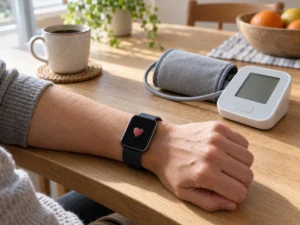
A notification is a reason to check blood pressure with a cuff and discuss the result with a healthcare professional. No notification does not rule out hypertension. The feature is not a diagnosis or a replacement for medical care, and it is not intended for people under 22, those already diagnosed, or pregnant people.
It's a fair extra on a watch you'd buy anyway, and since cheaper Apple Watches have it too, it's no reason to pick the Ultra.
Which iPhone and which plans it needs
Not rated · Evidence: maker figures only
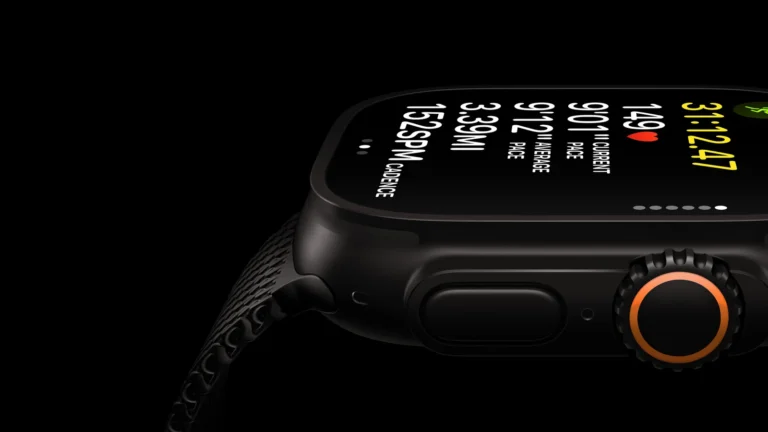
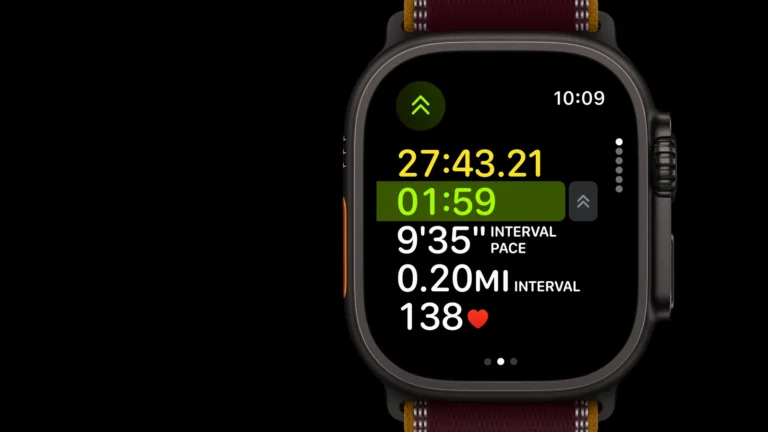
The Ultra 4 showing a running interval workout, with the Action button's orange edge on the left, in Apple's render. Product image: Apple (cropped render)
The Ultra 4 pairs only with an iPhone: an iPhone 11 or later, or a second-generation SE or later, on iOS 27. Android phones can't set it up.
Apple says Live Rewind and Siri Recap arrive in beta in late 2026, in English, and need an iPhone 16 or later, with the 16e left out. They won't be in the EU at first. Siri AI is also in beta, and its server-side features have daily usage limits. Apple's footnote adds that expanded access will cost a fee in the future.
Emergency SOS, Find My and Messages via satellite are free for two years from activation. Cellular service needs a carrier plan, and so do Find My and Messages over satellite. Divers have one more bill, because the dive-computer app Apple names, Oceanic+, is a subscription.
Budget for the carrier plan from the start. Without one, the Ultra 4 still has satellite SOS, the siren and dual-frequency GPS, but cellular calls and satellite messages sit unused.
Where to buy
In-stock offers for this exact model, sorted by item price in USD. Shipping is not included unless a retailer supplies it. Not every retailer is listed. Prices last checked 1 hour ago.
Retailer prices for the Apple Watch Ultra 4 (GPS + Cellular, 49 mm titanium case, model A3579)
Prices and availability come from retailer feeds and change without notice; the retailer’s page is authoritative. We may earn a commission if you buy through these links.
✓
Final verdict
Apple Watch Ultra 4 (GPS + Cellular, 49 mm titanium case, model A3579)
RecommendationRecommended for iPhone owners who wear a watch to bed and go two days between chargers
This review gives no score out of 10, because no section rests on a measurement by an independent body. The recommendation and the written verdict stand on their own.
Pros
Apple's 50-hour battery script includes two nights of sleep tracking
A quarter-hour charge is rated for half again what the Ultra 3 got
Satellite SOS free for two years
Siren, satellite communication and dual-frequency GPS
Cons
iPhone only
Live Rewind and Siri Recap need an iPhone 16 or later, and the 16e is left out
Same case, screen and brightness as the Ultra 3
Find My and Messages over satellite need a carrier plan
The Oceanic+ dive app is a paid subscription
Conclusion
The fast-charge figures depend on the cable and adapter used in Apple's tests. The box includes the cable, while the power adapter is separate. Check that setup before expecting the quarter-hour top-up rating.
Our take
The battery and the faster top-up are the parts of this update worth paying for, and they make the Ultra 4 the one to buy for a new owner. The audio features are still in beta and need an iPhone 16, so count them as a bonus.
Best for
iPhone owners who track their sleep every night
Hikers and travelers who spend two days away from an outlet
Consider an alternative if
You already own an Apple Watch Ultra 3
Your phone runs Android
You want Live Rewind and your iPhone is older than an iPhone 16
Does the Apple Watch Ultra 4 work with an Android phone?
No. Apple lists an iPhone 11 or later, or an iPhone SE (second generation or later), running iOS 27.
How deep can you dive with the Apple Watch Ultra 4?
Apple certifies it to EN13319 for recreational scuba diving to 40 m and says it shouldn't go deeper. Its water resistance rating is 100 m under ISO 22810:2010.
Andreea reads the site’s articles, guides and reviews before they are published.
This is a research-based assessment: the reviewer compiled it from published specifications, documentation and independent measurements rather than from testing the unit.
RecommendedApple Watch Ultra 4 (GPS + Cellular, 49 mm titanium case, model A3579)Compare prices
Cookies on GadgetClarity
We keep cookies to a minimum. Without your consent, this site sets only the ones it needs to work: remembering your answer here and keeping the site secure. If you allow analytics cookies, Google Analytics counts visits and shows us which pages people read. If you allow functional cookies, embedded videos you choose to always show are remembered. The site is also set up for Google AdSense ads; the cookie policy explains how Google uses cookies once ads run. Cookie policy
Customise consent preferences
Each category below lists the exact cookies behind it, what they do and how long they last. Strictly necessary cookies cannot be switched off because the site would stop working without them. Anything else is yours to decline.
NecessaryAlways active
Strictly necessary cookies keep the site working and secure: they remember your choice here, help the security layer stop attacks and keep site accounts signed in to the admin area. The site cannot run without them.
Show the cookies in this category (7)
cmp_consent
GadgetClarity · 1 year
Remembers your consent choice for each cookie category, so the banner does not ask again on every page.
wp-settings-(id), wp-settings-time-(id)
WordPress · 1 year
Remembers layout preferences inside the WordPress admin screens. Set only for accounts that sign in to run the site, never for ordinary visitors.
WordPress · Session, or 14 days if “Remember me” is ticked
Keeps a site account signed in to the WordPress admin, and checks that the browser accepts cookies at login. Set only for accounts that sign in to run the site, never for ordinary visitors.
wfwaf-authcookie-(hash)
Wordfence (Defiant, Inc.) · 12 hours
Lets the Wordfence firewall check a signed-in user’s access level before WordPress loads, so administrators are not blocked by firewall rules. Set only when you log in to the site.
wf_loginalerted_(hash)
Wordfence (Defiant, Inc.) · Persistent
Records that the administrator has already been alerted about a sign-in from this device. Only used if login alerts are enabled, and set only when you log in to the site.
wfCBLBypass
Wordfence (Defiant, Inc.) · Only if enabled
Allows a visitor who knows a hidden bypass address to pass country blocking. It is only used if country blocking is enabled, and we do not currently use it.
wfls-remembered-(hash)
Wordfence (Defiant, Inc.) · Up to 30 days
Remembers a trusted browser for two-factor login when a signed-in user chooses “remember this device”. Set only for site accounts that use two-factor authentication.
Functional
A functional cookie is set only when you tick “Always display content from …” on an embedded video or post. Decline and the rest of the site works exactly as before, and embedded videos still load one at a time when you click them.
Show the cookies in this category (1)
embed-privacy
GadgetClarity · 1 year
Remembers the providers whose embedded content you chose to always display (for example YouTube), so their videos and posts load without a click. Set only when you tick “Always display content from …”, a box that appears only once functional cookies are allowed.
Analytics
Analytics cookies let Google Analytics count visits and show us which pages people read and how they found them, so we know what to improve. Google Analytics loads only after you switch this on. Google signals and ad personalization are turned off, and Google Analytics does not log or store IP addresses. Decline and the site works exactly the same.
Show the cookies in this category (2)
_ga
Google (Google Analytics) · 13 months
Gives your browser a random ID so Google Analytics can tell new visitors from returning ones. It holds no name, email address or account. Set only after you allow analytics cookies.
_ga_89ZKLK49YX
Google (Google Analytics) · 13 months
Keeps track of the current visit for this site’s Google Analytics property, such as when it started and how many pages it covered. Set only after you allow analytics cookies.
Advertising (Google AdSense)
This site is set up for Google AdSense. No ads are shown until Google approves the site. In the EEA, the UK and Switzerland, Google asks for your consent in its own message before it uses advertising cookies, and that message also decides Google Analytics there. Elsewhere, you can turn off personalized ads in Google’s ad settings.
Show the cookies in this category (2)
FCCDCF, FCNEC
Google (consent message) · Up to 13 months
Stores the choices you make in Google’s consent message, which visitors in the EEA, the UK and Switzerland see, so the message does not appear on every page.
__gads, __gpi, __eoi
Google (AdSense) · Up to 13 months
Used by Google AdSense to show ads, limit how often you see the same ad and detect fraud. Set only on pages that show an ad; no ads are shown until Google approves the site.
Set by other sites
These are set by another company, not by this site: a retailer, after you click through to its website, or a video or social-media provider, after you click to load its content here. That company’s own policy governs them, not this banner.
Show the cookies in this category (2)
Embedded video and social-media cookies
YouTube, Vimeo, TikTok, Instagram, Spotify, X, Reddit · Set by the provider
Articles can embed a video or post. Nothing loads from the provider until you click its placeholder; when you do, the provider may set or read its own cookies under its own policy. YouTube videos load in YouTube’s privacy-enhanced mode (youtube-nocookie.com).
Retailer / affiliate cookies
Amazon & affiliate networks · Set by the retailer
Set on the retailer’s own website after you click a “View deal” or “Check price” link, to attribute a purchase. We do not set or read these.